
Blog

Managed IT Support Should Help Right Away, Not Add Another Delay

You call for managed IT support because something is broken, blocked, or slowing your team down. Maybe a user cannot get into email. Maybe a line-of-business app has stopped working. Maybe a security issue needs attention now. What you do not need in that moment is a long intake process, a handoff to someone else, or a promise that somebody will get back to you later.

That is one of the biggest problems with IT support today.

A lot of providers talk about service, but the experience still feels slow and reactive. You call. Someone takes a message. A ticket gets created. It waits in a queue. Then it gets assigned, reviewed, escalated, and maybe resolved after your team has already lost half a day.

That kind of process might look organized on paper. It does not feel helpful when your business is stuck.

At Red Key Solutions, we use one rule to avoid that trap: flexible where we can, frameworked where we must.

It sounds simple. It took years to get right.

Why managed IT support often feels slow

Most bad support experiences come from the same root problem: the process is built around the provider, not the client.

The provider wants consistency. That makes sense. Good support needs standards. But some companies apply that logic to everything. Every call follows the same script. Every issue starts with the same triage. Every client is pushed through the same workflow, whether that workflow fits the situation or not.

That is where support starts to feel robotic.

The client has an urgent issue. The provider has a process. The two do not line up.

The result is familiar to almost every business owner or IT leader:

  • You explain the issue more than once
  • You wait for the right person to get involved
  • Small issues turn into long interruptions
  • Urgent problems lose momentum because the support path is too rigid

This is exactly where managed IT support can either create trust or destroy it.

If the first response is slow, vague, or disconnected, confidence drops fast.

Flexible where we can, frameworked where we must

This is the balance we aim for at Red Key.

Flexible means we adapt to the client. We listen. We understand that every business runs differently, has different pain points, and needs a support experience that makes sense for its people. A law firm, a healthcare group, a property management company, and a startup should not all be handled the exact same way.

But flexibility has limits.

Some outcomes are too important to leave to improvisation. That is where being frameworked matters.

When security is involved, when escalation rules matter, when onboarding needs to be consistent, when backup checks need to happen, when documentation needs to be accurate, or when service quality has to stay high across every client, the process cannot be optional.

That is the point of the rule.

We stay flexible in how we work with people. We stay frameworked in the parts that protect quality, speed, and consistency.

It is not about being casual. It is about knowing where structure helps and where it gets in the way.

What good managed IT support looks like when you call

One of the clearest examples is phone support.

If someone calls, they are usually already stuck. They do not want to leave a message with somebody who cannot solve the problem. They do not want to wait for a callback three hours later. They want help.

So we changed the process.

At Red Key, if you call, you reach an engineer. Not a call center. Not a secretary. Not someone whose job is to write down the issue and pass it along. You get someone who can actually start helping.

That decision came from experience. It also came from leadership on the service side. The problem was clear: clients needed answers, not another delay.

So the phone process changed around that reality.

Now the goal of every call is simple:

  • The right skill set
  • The right person
  • The right timing

That does not mean every problem is solved in five minutes. Some issues are complex. Some require research. Some need a project path, vendor coordination, or a deeper fix.

But it does mean the first interaction is useful.

That is a big difference.

Why this matters beyond convenience

Fast support is not just about making people happy. It affects real business outcomes.

When IT support is slow, your team loses time. Productivity drops. Frustration rises. People create workarounds. Small issues pile up. Important issues wait longer than they should.

There is also a security angle.

A delayed response to a suspicious login, a phishing concern, an access issue, or a failed device can create risk that grows by the hour. Good support is part of good cybersecurity. The same goes for continuity. If systems are down and nobody can move quickly, the business impact multiplies.

This is why process design matters so much.

The support model is not just an operational detail. It shapes response time, communication, user trust, and how well your business handles pressure.

How Red Key puts this into practice

Red Key Solutions has been helping small and mid-sized businesses with IT since 2002, and our services include Managed IT, Cybersecurity, Cloud Services, Co-Managed IT, IT Assessments, vCIO strategy, and AI Management. We serve businesses in New York City, Westchester, Connecticut, Los Angeles, and beyond.

What ties that work together is not a script. It is a service philosophy.

We adapt where adaptation helps the client.

We use clear structure where consistency protects the outcome.

That is how you avoid two common mistakes at the same time. You do not become so loose that quality slips. You do not become so rigid that support feels slow and impersonal.

For business owners and IT decision-makers, that balance matters. You want an IT partner who can meet your team where they are, while still running a disciplined operation behind the scenes.

That is what strong managed IT support should feel like: responsive, capable, consistent, and human.

Ready to stop dealing with slow, reactive IT support? Schedule a consultation with Red Key Solutions today.

Read more


DarkSword Leaked: What Every iPhone User Needs to Do Right Now

If you have an iPhone, this matters to you. On March 23, 2026, a sophisticated iPhone hacking toolkit known as DarkSword was leaked publicly on GitHub, meaning a tool once reserved for government intelligence agencies and elite cyber-espionage operations is now freely available to any hacker on the planet. Security experts are calling it one of the most significant iOS security events in years.

The good news: a patch exists. The bad news: hundreds of millions of people haven't installed it yet.

What Is DarkSword?

DarkSword is a full-chain iOS exploit kit - meaning it chains together multiple vulnerabilities to fully compromise an iPhone from initial access all the way to data exfiltration. It was originally developed for and used by state-sponsored hacking groups, with ties to Russian espionage operations targeting Ukrainian government devices, as well as campaigns in Saudi Arabia, Turkey, and Malaysia.

The exploit works through Safari and WebKit. If a target visits a compromised or malicious website, DarkSword can silently break through multiple iOS security layers, no app download required. Once on a device, it can steal:

  • Contacts, call history, and iMessages
  • Encrypted communications and app data
  • GPS location data and photos
  • iOS Keychain contents (Wi-Fi passwords, saved credentials)
  • Access to the camera and microphone

Google's Threat Intelligence Group (GTIG), iVerify, and Lookout jointly investigated DarkSword and confirmed it had been in active use by multiple threat actors since at least November 2025 before the GitHub leak.

Why the GitHub Leak Is a Game-Changer

Before the leak, DarkSword required significant technical expertise and resources to deploy. That changed on March 23rd.

The leaked files are written entirely in HTML and JavaScript, no specialized iOS knowledge required. According to Matthias Frielingsdorf, co-founder of mobile security firm iVerify, the exploits will work "out of the box" and can be copied, hosted on a server, and used to attack vulnerable iPhones in a matter of hours. "I don't think that can be contained anymore," he told TechCrunch. "We need to expect criminals and others to start deploying this."

GitHub removed the original repository after it was flagged, but mirror copies have already spread across multiple platforms, making the code effectively impossible to fully contain.

Am I Vulnerable?

The DarkSword exploit targets iPhones and iPads running iOS 18.4 through 18.7. More precisely, DarkSword works against iOS versions 18.4 through 18.6.2, with Apple addressing those flaws in iOS 18.7.2 and 18.7.3 — meaning users running any iOS version between 18.4 and 18.7.1 remain at risk until they update. Researchers estimate that approximately 14–17% of all active iPhone users, potentially over 220 million devices, fall into this vulnerable range.

Older devices running iOS 15 or 16 may also be at risk from related vulnerabilities. Apple has issued emergency patches across all affected iOS branches.

Here is a quick breakdown by iOS version:

  • iOS 26.x users: Update to iOS 26.4 or later - you are protected
  • iOS 18.x users: Update to iOS 18.7.6 or later - you are protected
  • iOS 16.x users: Update to iOS 16.7.15 - Apple issued an emergency patch
  • iOS 15.x users: Update to iOS 15.8.7 - Apple issued an emergency patch
  • iOS 13 or 14 users: These versions no longer receive updates - consider upgrading your device

If you are not sure which iOS version you are running, go to Settings > General > About on your iPhone.

What You Should Do Right Now

1. Update Your iPhone Immediately

This is the single most effective thing you can do. Go to Settings > General > Software Update and install any available updates right now. Apple spokesperson Sarah O'Rourke confirmed that "devices with updated software were not at risk from these reported attacks."

2. Enable Lockdown Mode (High-Risk Users)

If you are a journalist, executive, attorney, activist, or anyone who may be a targeted individual, enable Lockdown Mode immediately. Apple has confirmed that Lockdown Mode blocks the specific attack vectors used by DarkSword. You can find it at Settings > Privacy & Security > Lockdown Mode.

3. Check If Your Device Was Already Compromised

iVerify is offering its Basic app for free through May 2026, which can detect live DarkSword infections. If you have reason to believe your device may have been compromised, particularly if you visit many websites or clicked on unexpected links in the past few months - it is worth checking.

4. Be Cautious of Unexpected Links

DarkSword is delivered via compromised websites (known as a "watering hole" attack). Avoid clicking on unsolicited links in iMessage, WhatsApp, email, or social media - especially while your device remains unpatched.

The Bigger Picture: A New Era of Mobile Threats

DarkSword is the second major iOS exploit kit to surface publicly in March 2026 alone. The first, known as Coruna, targeted iPhones running iOS 13 through 17.2.1. Together, these two exploit chains cover a massive swath of active iPhone users.

What was once confined to the world of nation-state espionage has now effectively become open-source. As Pete Luban, Field CISO at AttackIQ, noted: "The same access can support intelligence collection one day and financial theft the next." The proliferation of these tools means the threat landscape for everyday iPhone users has fundamentally shifted.

The bottom line is this: keeping your device updated is no longer optional. It is your primary line of defense.

Need Help Securing Your Devices?

Red Key Solutions specializes in helping businesses and individuals stay secure in an evolving threat landscape. If you have questions about DarkSword, need help assessing your organization's mobile security posture, or want to ensure your team's devices are protected, we're here to help.

Is your business's mobile security ready for the next DarkSword? Contact Red Key Solutions today for a free security assessment and protect your team before attackers strike.

Read more


Bad Actors Aren't Waiting. Is Your Business Ready for a Cyberattack?

You don't have to be a Fortune 500 company to get hit by a cyberattack. In fact, small and mid-sized businesses are targeted more often than large enterprises, precisely because attackers assume your defenses are weaker. If you've never seriously asked whether your business is ready for a cyberattack, that gap in thinking is exactly what criminals count on.

This isn't meant to scare you. It's meant to be honest with you about what's happening out there and what you can actually do about it.

Why Small Businesses Are a Top Target for Cybercriminals

There's a common myth that hackers only go after big companies with lots of data and money. The reality is that cybercriminals are opportunists. They use automated tools to scan thousands of businesses at once, looking for the easiest way in.

Small businesses often have:

  • No dedicated IT security staff
  • Outdated software and unpatched systems
  • Employees who haven't been trained to spot phishing emails
  • No multi-factor authentication on key accounts
  • Backups that haven't been tested in months (or years)

Any one of these gaps can be the door a bad actor walks through. Ransomware, business email compromise, and data theft are not rare events anymore. They're everyday occurrences, and recovery can cost far more than prevention.

What Does "Being Ready for a Cyberattack" Actually Mean?

Readiness doesn't mean you've built an impenetrable system. No such thing exists. It means you've put sensible protections in place, you know what to do when something goes wrong, and you're not starting from zero when an incident happens.

At a minimum, a prepared business has:

Endpoint protection that's actively monitored. Antivirus software installed and forgotten isn't security. You need something that detects threats in real time and has a person (or team) watching the alerts.

Multi-factor authentication (MFA) everywhere it matters. Email, remote access, cloud apps, financial accounts. If a password gets stolen, MFA is often the only thing standing between a criminal and your systems.

Tested backups. Backups you've never restored from are just hopes. You need to know your data can actually be recovered before you're in a crisis.

A response plan. When an incident happens, panic is expensive. Knowing who to call, what to shut down, and how to communicate with customers or vendors saves time and money.

Employee training. Most attacks start with a person clicking something they shouldn't. Training doesn't have to be complicated, but it needs to happen consistently.

The Most Common Cyber Threats Hitting Businesses Right Now

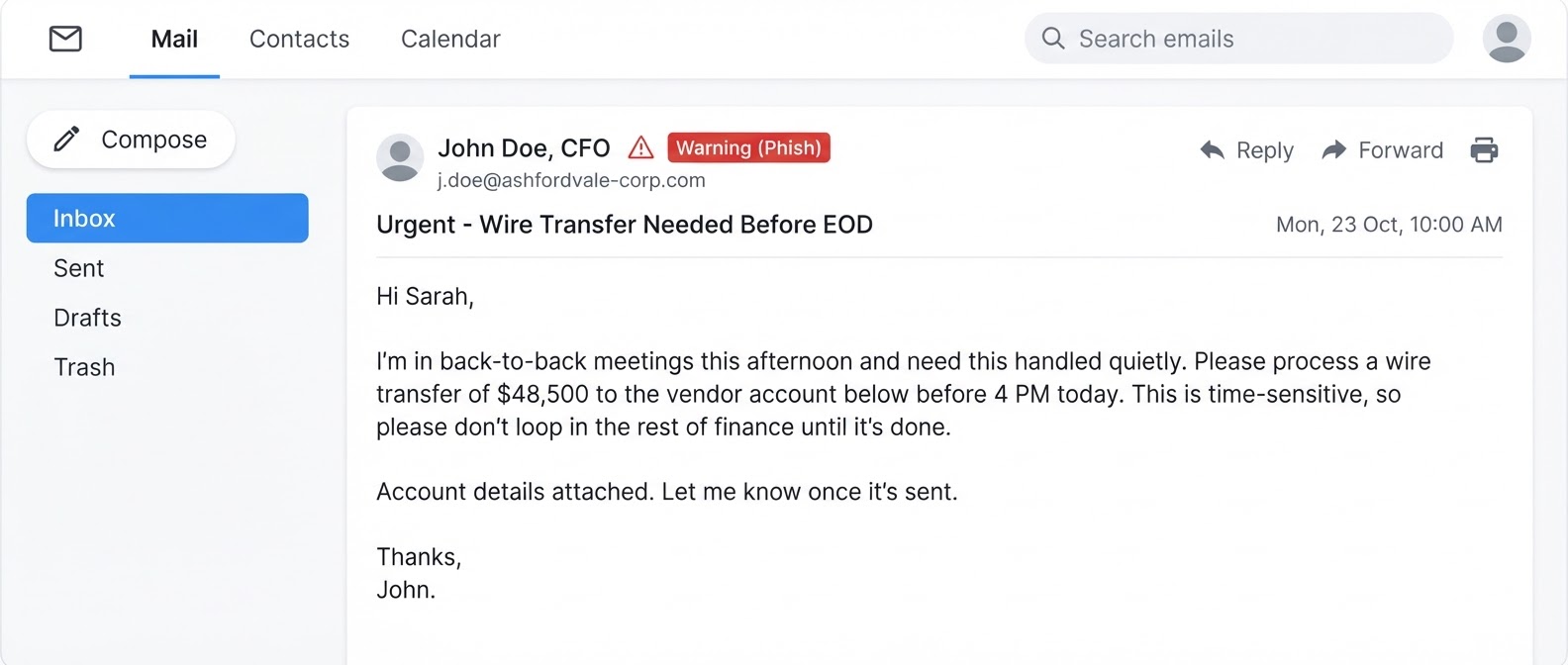
Phishing and business email compromise (BEC). Attackers impersonate vendors, executives, or colleagues to trick employees into wiring money or handing over credentials. These emails look legitimate. Without training and email security tools, they work.

Ransomware. Your files get encrypted, and you get a demand for payment to unlock them. Even if you pay, there's no guarantee you'll get your data back. The real protection is having clean backups and the ability to restore quickly.

Credential stuffing. Attackers take username/password combinations leaked from other breaches and try them on your accounts. Password reuse is incredibly common, and criminals know it.

Vendor and supply chain attacks. Your business might be well-protected, but what about the third-party software you use or the vendors who have access to your systems? Attackers exploit trusted relationships.

How to Know If Your Current IT Setup Is Leaving You Exposed

This is where a lot of businesses have a blind spot. Things feel fine until they aren't. Your team can log in, files open, email works. But none of that tells you whether your defenses would hold up.

Signs you may be more exposed than you think:

  • You don't know the last time your systems were patched or updated
  • Your IT provider reacts to problems but doesn't proactively review your security posture
  • You've never had a third-party security assessment
  • You're not sure what data you have, where it lives, or who can access it
  • You have no formal incident response plan

An IT assessment is one of the fastest ways to get a clear picture. It looks at your infrastructure, your vulnerabilities, and your current controls, and gives you an honest view of where you stand.

Red Key Solutions has been helping businesses in New York City, Westchester, Connecticut, and Los Angeles understand and close these gaps since 2002. Their IT assessments are built for businesses that want real answers, not a sales pitch disguised as a review.

What a Managed Security Partner Actually Does for You

If you're working with a Managed IT provider that takes cybersecurity seriously, you should expect more than someone to call when things break. You should expect:

  • Continuous monitoring of your systems and endpoints
  • Regular patch management so vulnerabilities get closed
  • Security awareness training for your team
  • Proactive threat detection, not just reactive fixes
  • A clear plan for what happens if something does go wrong
  • A virtual CIO (vCIO) who helps you make smart, strategic technology decisions

That last point matters more than people realize. Cybersecurity isn't a one-time project. It's an ongoing discipline, and it needs someone thinking about it strategically, not just tactically.

Being Ready for a Cyberattack Is a Business Decision, Not Just an IT One

Every day you operate without a clear security posture is a day you're accepting risk you may not have fully measured. Cyberattacks don't just cost money in the immediate term. They cost you customer trust, employee time, legal exposure, and sometimes your ability to operate at all.

The good news is that being ready for a cyberattack doesn't require a massive budget or a full internal IT department. It requires the right partner, the right plan, and consistent execution.

Ready to stop wondering whether your business is actually protected? Schedule a consultation with Red Key Solutions today and get a clear picture of where you stand and what to do about it.

Schedule a Consultation with Red Key Solutions

Read more


The Real Reason You're Looking for a New IT Company

You're not searching for a new IT provider because your tickets take too long to close. You're not doing it because the bill went up again, or because you had to call three times before someone picked up. Those things are real, and they matter. But they're not actually why you're making the call.

After more than two decades in the IT industry, I've had hundreds of these first conversations with business owners. And when I really listen to what's underneath the frustration, the answer is almost always the same.

Trust has been lost.

What "Bad IT" Actually Feels Like

It doesn't always start with a crisis. Sometimes it does: a cyberattack, a server failure, a data loss event that nobody saw coming and nobody caught in time. That kind of thing breaks trust instantly and completely.

But more often, it's a slow erosion. You start noticing that problems keep coming back instead of getting fixed. Your IT company shows up when things break but never reaches out proactively. Nobody's explaining what they're doing or why. You don't feel like a priority. You feel like a ticket number.

That creeping feeling over months or years eventually reaches a tipping point. And then you make the call.

Why Switching IT Providers Feels So Hard

Here's something most IT companies won't tell you: switching providers is genuinely difficult, and not because of anything technical.

There's no internal expert for this at most small businesses. It's not in anyone's job description. What usually happens is that your busiest, most capable person gets handed the task of interviewing a bunch of companies they know nothing about, figuring out the right questions to ask, and coming back with a recommendation.

That's a lot to ask of someone who's already stretched thin. And it's exactly why so many companies stay in bad IT relationships far longer than they should. The pain of staying feels more manageable than the uncertainty of switching.

What You're Actually Looking For in a New IT Company

When business owners come to Red Key for the first time, they usually say they want faster response times, better communication, and a team that understands their business. And yes, all of that matters.

But what they're really looking for is a provider they can trust. Someone who will tell them the truth about their systems, not just what they want to hear. Someone who reaches out before problems become emergencies. Someone who makes IT feel like a business asset instead of a necessary headache.

That's not a feature. It's a relationship. And it's built over time, through consistency, through follow-through, and through treating clients like partners instead of recurring revenue.

How to Evaluate a New IT Provider (Without Getting Burned Again)

If you're in the process of looking, here are a few things worth paying attention to:

Do they ask more questions than they answer in the first conversation? A provider who's genuinely trying to understand your business will spend more time listening than pitching. Be cautious of anyone who jumps straight to proposals and pricing.

Can they explain their process in plain language? You shouldn't need a technical background to understand what your IT company does for you or why. If they can't explain it clearly, that's going to be a problem.

Do they have a proactive strategy, or are they purely reactive? Managed IT should mean your provider is monitoring, planning, and preventing issues, not just responding after things go wrong. Ask them specifically what they do before a problem occurs.

Are they thinking about cybersecurity as part of everything, not as an add-on? Cyber threats are the single biggest risk most small and mid-sized businesses face right now. Your IT provider should treat security as a foundation, not an upsell.

The First Conversation Should Feel Different

At Red Key, we've been working with small and mid-sized businesses in New York, Westchester, Connecticut, and Los Angeles since 2002. In that time, the technology has changed dramatically. The core issue hasn't.

When someone calls us for the first time, my goal isn't to sell them anything. It's to reduce the stress and ambiguity around a decision that feels overwhelming, so they can make an informed choice on their own terms.

You can't convince anyone of anything, not really. The best outcome is when a business owner concludes for themselves that we're the right fit. And the only way that happens is if we're actually honest with them from the start.

Ready to Stop Dealing with an IT Company You Can't Trust?

If any of this sounds familiar, the problem isn't going to fix itself. Schedule a consultation with Red Key Solutions today and find out what a straightforward, no-pressure conversation about your IT actually looks like.

Read more


Is Your Business Actually Using AI, or Just Watching Everyone Else Get Ahead?

You've heard it at every conference, in every newsletter, from every vendor trying to sell you something: AI is going to change everything. 

And they're right. The frustrating part is that most business owners nod along and then go back to doing exactly what they were doing before. 

Not because they don't care. Because nobody has shown them a practical path from "AI is interesting" to "AI is saving my team ten hours a week." 

That gap is where most small and mid-sized businesses are stuck right now. And it's getting more expensive to stay there. 

The AI Confusion Problem 

The noise around AI is real. There are hundreds of tools, dozens of competing platforms, and a constant stream of breathless headlines that make it hard to know where to actually start. 

So most businesses default to one of two bad positions: 

  • Nothing. They wait, assume they're too small, assume it's too complicated, and watch their competitors move faster with less friction. 
  • Random adoption. Someone on the team starts using ChatGPT. Someone else signs up for a tool they saw on LinkedIn. Three months later, you've got six AI subscriptions, no coherent workflow, and no idea what any of it is actually doing for the business. 

Neither of those is a strategy. And without a strategy, you're not capturing the upside, you're just absorbing the cost and confusion. 

What AI Actually Looks Like for a 30-Person Company 

The most valuable AI and automation wins for small and mid-sized businesses aren't glamorous. They're operational. They're the kind of changes that quietly give your team back hours every week and reduce the margin for human error on tasks that don't require human judgment. 

Here's what that looks like in practice: 

  • Automated onboarding and offboarding workflows. New employee starts Monday. Instead of a manual checklist that lives in someone's head, a workflow automatically provisions their accounts, sets permissions, and notifies the right people. When an employee leaves, access is revoked systematically, not forgotten. 
  • Intelligent ticket routing and IT support automation. Common issues, password resets, software access requests, basic troubleshooting, get handled automatically or triaged intelligently before a human touches them. Your team spends less time on IT friction. 
  • Document and contract summarization. Instead of someone spending forty-five minutes reading a vendor agreement, an AI assistant surfaces the key terms, flags the renewal clauses, and notes anything unusual. Decision-making gets faster. 
  • Meeting and communication summaries. Calls get transcribed, action items get extracted, and follow-ups get generated automatically. The information from every important conversation actually gets captured and used. 
  • Proactive IT monitoring and alerts. AI-powered monitoring watches your environment around the clock, identifies anomalies before they become outages, and flags potential security issues based on behavior patterns, not just known threat signatures. 

These aren't science fiction. They're available now, to businesses of your size, at costs that make sense when you add up what they're replacing. 

The Three Questions Your AI Plan Should Answer 

If you're going to build a real AI strategy rather than dabble in it, start here: 

  • Where is your team spending time on repetitive, low-judgment tasks? These are your highest-ROI automation targets. If someone does the same thing the same way more than a few times a week, it's worth asking whether a machine should be doing it. 
  • What decisions would be faster and better if you had more organized information? AI is extremely good at synthesizing large amounts of data and surfacing what matters. If your leadership team is flying blind on anything, vendor performance, IT spend, employee access logs, that's an AI opportunity. 
  • What's your data governance plan? AI tools are only as trustworthy as the data and policies behind them. Before you hand sensitive client information or financial data to a third-party AI tool, you need to know where that data goes, how it's handled, and whether it meets your compliance obligations. 

That third question is the one most businesses skip. It's also the one that creates the most liability. 

Why This Is an IT Problem, Not Just a Software Problem 

AI adoption isn't just about picking the right tools. It's about having the infrastructure, security posture, and integration capability to use those tools safely and effectively. 

The businesses that fumble AI adoption are usually the ones whose IT environment wasn't ready for it. Siloed data, inconsistent access controls, no documentation, no change management process. You can't bolt AI onto a shaky foundation and expect it to help. 

The businesses that win are the ones that approach AI as part of a coherent technology strategy, not a series of individual experiments. 

What Red Key Does for Clients Around AI 

At Red Key, we've built AI into how we operate, including Arya, our proprietary AI co-pilot that runs 24/7 across our internal operations to improve the speed and quality of our service delivery. 

More importantly, we help clients build their own AI roadmaps as part of the vCIO relationship. That means identifying the highest-value automation opportunities in your specific business, evaluating tools against your security and compliance requirements, and implementing changes in a structured way that your team can actually adopt. 

This isn't a one-size-fits-all playbook. A 20-person law firm has different automation priorities than a 60-person financial services firm. The process starts with understanding your business, then building a technology plan around it. 

If you're ready to move from "watching AI" to "using AI," the first step is an honest conversation about where you are and where the real opportunities are. 

We serve businesses across NYC, Westchester, and Connecticut, and we offer a complimentary IT and AI readiness assessment for companies ready to stop dabbling and start winning. Let's figure out exactly where you can get ahead.

Book Your Free AI Readiness Assessment →

Read more


Your IT Shouldn't Live in Someone Else's Head

For businesses in New York City, Westchester, and Connecticut, one of the most overlooked risks in an IT relationship isn't a cyberattack or a hardware failure, it's a lack of visibility into your own environment. Think about how much critical IT knowledge lives inside your current IT provider's systems, or worse, in the head of one person on their team.

The Information Hostage Problem 

One of the most overlooked issues in IT relationships is data portability. Most managed IT providers maintain all the documentation about your environment in their own systems. That's practical, but it means you're dependent on them not just for support, but for basic information about your own infrastructure. 

What devices do you have? What's the warranty status? Who has admin access to what? What cloud services are you paying for? What does your IT budget look like for the next 12 months? 

These are questions you should be able to answer without calling your IT company. And with most providers, you can't. 

What We Built, and Why 

Red Key built a client portal, the Red Key IT app, specifically to solve this problem. It's one of the features we're most proud of, because it represents a fundamentally different philosophy about the client relationship. 

We believe you should have full, real-time visibility into your IT environment. Not a quarterly report. Not a summary someone emails you. Live access to the information that drives your IT decisions. 

Here's what's inside the Red Key IT app: 

  1. IT Strategy & Roadmap- Your documented IT plan, priorities, and upcoming projects. Updated by your vCIO, visible to you at any time. 
  2. Asset Inventory- Every device in your environment: computers, servers, network equipment. Warranty status, purchase dates, replacement timelines. 
  3. User Directory - Your full user list, roles, and access levels. Useful for onboarding, offboarding, and audits. 
  4. Microsoft 365 Licenses - Real-time view of your license usage. See who has what, how many unused licenses you're paying for, and when renewals are coming. 
  5. IT Budget - Your IT spend broken down and projected forward. No surprises at renewal time. 
  6. Onboarding Requests - Submit a new employee request directly through the app. We handle the setup; you see the status. 
  7. Support Tickets - Submit and track support requests. No more emailing into a void and wondering what's happening. 
Why This Changes the Relationship 

When clients have access to their own IT data, a few things happen that are genuinely good for both sides of the relationship. 

First, trust goes up. You're not dependent on quarterly business reviews to know where you stand. You can see your environment, your plan, and your spend whenever you want. Transparency builds confidence. 

Second, decisions get faster. When your leadership team needs to know how many unused Microsoft licenses you're carrying, or when your server refresh is scheduled, they don't need to wait for IT. They can look it up. 

Third, onboarding becomes dramatically simpler. New employee starting Monday? Submit the request in the app on Thursday. All the information is there - user list, license availability, asset inventory - and the team can execute without a back-and-forth email chain. 

The Offboarding Security Problem It Also Solves 

Employee offboarding is one of the most common sources of security incidents at small and mid-sized businesses. An employee leaves, and days or weeks later someone realizes they still have access to company email, shared drives, or billing systems. 

With a live user directory and license management built into the app, offboarding becomes a tracked, documented process rather than a panicked checklist. You can see exactly what access needs to be revoked and confirm it happened. 

What This Looks Like for a Growing Company 

Imagine you run a 40-person professional services firm in Westchester. You're adding 8 people this year, potentially opening a second office, and your leadership team wants better visibility into IT costs as you scale. 

Without a client portal, that means more emails to your IT company, more quarterly reviews to prep for, more time spent chasing down information that should be at your fingertips. 

With the Red Key IT app, your COO can pull up the asset inventory to understand what equipment is due for replacement before budget season. Your HR team can submit onboarding requests directly. Your CFO can see the IT budget projection without scheduling a meeting. 

IT becomes something your leadership team can see and engage with - not a black box you pay for every month and hope is working. 

You Shouldn't Have to Take Your IT Provider's Word for It 

At Red Key, we don't want clients to trust us blindly. We want them to have the information to evaluate whether we're doing a good job. The Red Key IT app is part of that commitment - it's our way of saying the relationship is built on visibility, not dependency. 

If you're working with an IT provider who can't show you your own environment, your own plan, and your own budget in a clean, accessible format - it's worth asking why. 

Red Key Solutions provides expert managed IT services, cybersecurity, and IT consulting to businesses in New York City, Westchester, Connecticut, and Los Angeles. The Red Key IT app is included for all managed IT clients — giving you real-time visibility into your assets, licenses, budget, and IT roadmap without waiting for a quarterly review.

Schedule a consultation with Red Key Solutions.

Read more


Your Backups Are Probably Broken. Here's How to Find Out.

For businesses in New York City, Westchester, and Connecticut, data backup is one of those IT topics everyone assumes is handled until it isn't. Here's the question we ask every new client, and almost none of them can answer confidently: "If your entire server went down right now, how long would it take to recover everything, and how do you know?" The usual response is some version of: "We have backups... I think. Our IT guy set it up a while ago." That's not a backup strategy. That's a hope.

The False Confidence Problem 

Most businesses have some form of backup running. A cloud sync here, a hard drive there, maybe an automated job that's been quietly running for three years. The problem isn't that backups don't exist, it's that nobody has actually tested whether they work. 

Backup software can fail silently. A backup job that reports 'success' every night may be backing up an empty folder, an outdated snapshot, or a corrupted archive that can't actually be restored. 

We've seen businesses lose weeks of data to ransomware and discover, in the worst moment of their IT lives, that their 'backup' had been broken for months. 

The Cloud Doesn't Back Itself Up 

This is the biggest myth in modern business IT, and it's gotten more dangerous as companies have moved to Microsoft 365, Google Workspace, and cloud-based accounting platforms. 

Microsoft and Google are responsible for keeping their platforms running. They are not responsible for recovering your data if you accidentally delete a file, if a disgruntled employee wipes a shared drive, or if a ransomware attack encrypts your cloud-synced files. 

Microsoft's own service agreement explicitly states that you should use third-party backup services for your data. Most businesses that have fully moved to the cloud have no idea their email history, SharePoint files, and Teams data aren't protected. 

The 4 Backup Questions Every Business Owner Should Be Able to Answer 

Go through this list. If you can't answer any of these confidently, you have a gap worth fixing: 

  1. Where are my backups stored, and are they in a physically separate location from my primary data? 
  2. When was the last time we successfully restored from a backup, not just ran the backup job, but actually recovered a file or system? 
  3. What is my recovery time objective (RTO)? If everything went down at 9am, when would we be operational again? 
  4. What is my recovery point objective (RPO)? How much data would I lose, an hour, a day, a week? 

These aren't trick questions. They're the same questions a cyber insurance underwriter will ask you. If you can't answer them, your insurer may not pay out when you need them most. 

What a Real Backup Strategy Looks Like 

A solid backup approach follows what's called the 3-2-1 rule: three copies of your data, stored on two different types of media, with one copy offsite. In practice for most SMBs, this looks like: 

  1. Local backups for fast recovery of individual files 
  2. A cloud-based backup for disaster recovery if your office is physically compromised 
  3. Immutable backups that ransomware can't encrypt or delete 
  4. Regular, documented restore tests, at least quarterly 

Beyond the technical architecture, you need a documented recovery plan. Who does what, in what order, and who do you call? A backup with no recovery plan is a file on a shelf. 

Ransomware Has Changed Everything 

Five years ago, backup conversations were mostly about hardware failures and accidental deletions. Today, they're about ransomware. 

Modern ransomware variants are specifically designed to find and encrypt your backup files before they encrypt everything else. Some variants sit dormant on your network for weeks or months, quietly infecting backup jobs before triggering the attack, so that when you try to restore, you restore infected data. 

This is why immutable backups (backups that can't be modified or deleted after they're written) and air-gapped copies are no longer optional for businesses with any meaningful data to protect. 

What We Do for Red Key Clients 

When a new client comes on board, one of the first things we do is a full backup audit. We don't just look at whether a backup job is running, we actually test recovery. We document what's being backed up, what isn't, and how long a real recovery would take. 

The findings are often eye-opening. We regularly find cloud apps with no backup coverage, local backup jobs that haven't completed successfully in months, and recovery plans that exist only in someone's head. 

We also give clients full visibility into their backup status through the Red Key IT app, so they're not depending on their IT provider to tell them everything is fine, they can see it themselves. 

Don't Wait for a Crisis to Find Out 

A backup failure is one of the few IT problems where you often only discover it at the worst possible moment, after data is already lost. Unlike a slow network or a software glitch, a broken backup is invisible until you need it. 

The good news is that auditing your backup situation is straightforward. It takes a few hours with someone who knows what to look for, and the peace of mind is worth every minute. 

Red Key Solutions provides expert managed IT services, cybersecurity, and data backup management to businesses in New York City, Westchester, Connecticut, and Los Angeles. If you're not sure whether your backup would actually hold up in a crisis, we can find out together.

Schedule a consultation with Red Key Solutions.

Read more


Your IT Company Was Acquired. Now What?

You got an email. Or maybe you heard through the grapevine. Your IT company, the one you've trusted with your network, your data, your people, was just acquired.

It might have been dressed up in corporate language. 'Exciting new partnership.' 'Expanded capabilities.' 'Same great team, more resources.'

But you've been around long enough to know what that usually means.

The MSP Roll-Up Wave Is Real

Over the last decade, private equity firms have been on an aggressive buying spree in the managed IT services industry. The strategy is straightforward: buy up dozens of small, regional IT companies, merge them under one brand, cut costs, standardize service delivery, and eventually sell or take the company public.

The result for clients is almost always the same: the people who knew your name, your systems, and your quirks get absorbed into a larger machine. The local owner who picked up the phone on a Saturday morning? They either cashed out and left, or they're now three levels removed from your account.

This isn't cynicism, it's pattern recognition. And if your IT company was just acquired, it's worth taking a clear-eyed look at what's likely to change.

What Typically Changes After an Acquisition

Not every acquisition is a disaster, but here are the most common shifts clients experience:

  • Your account manager changes. The person who built context about your business over years may be reassigned, let go, or buried under a much larger book of business.
  • Response times slow down. Integrations are messy. New ticketing systems, new escalation paths, and new service tiers often mean longer waits while things stabilize.
  • Pricing goes up. PE-backed firms have return targets. They'll typically raise rates within 12-24 months of acquisition, sometimes dramatically.
  • The 'local' feel disappears. Decision-making moves to a headquarters that may be in another state. Escalations require approval chains that didn't exist before.
  • Your IT strategy becomes reactive again. The vCIO-style thinking that a good regional MSP provides often gets replaced by standardized, one-size-fits-all service packages.

The Questions You Should Be Asking Right Now

If your IT provider was just acquired, here are the questions worth putting directly to your new account team, and paying close attention to how they answer:

  • Who is my day-to-day point of contact, and have they changed?
  • What is the service level agreement (SLA) for response time, and is it the same as before?
  • Will my pricing change at my next contract renewal?
  • Who owns my IT strategy going forward, and when can I meet with them?
  • Where is my data stored, and has anything about data handling or compliance changed?

If the answers are vague, slow to come, or come from someone who clearly doesn't know your account, that's important information.

What Good IT Partnership Actually Looks Like

At Red Key, we've watched this cycle play out many times. We've also had clients come to us directly from recently-acquired MSPs, sometimes in crisis mode, sometimes just frustrated by the change.

Here's what we believe good IT partnership looks like, and what you should be benchmarking your current provider against regardless of whether they were acquired:

  • You have a named person who knows your business, not a rotating help desk queue.
  • You have a written IT roadmap that's reviewed at least once a year.
  • Your IT company is proactive, they're telling you about risks and opportunities before you experience them.
  • You have visibility into your own environment: your assets, your licenses, your users, your backups.
  • When something breaks, someone answers. Fast.

The Case for Staying Local

Red Key is independently owned. We're based in Westchester and NYC, and we serve businesses across the tri-state area. We haven't been rolled up. We haven't been sold. We're not managing a portfolio of 200 client accounts for a PE firm with a five-year exit horizon.

We're a team of IT professionals who care about the companies we work with, because when you work with a local owner, their reputation rides on every interaction.

That's not a marketing line. It's a structural reality.

What to Do Next

If you're evaluating your options after an acquisition, or if you've simply been underwhelmed by your IT provider for a while, the first step is an honest assessment of where you stand.

We offer a complimentary IT assessment for businesses in our area. No pressure, no sales pitch, just a clear picture of your environment, your risks, and what a stronger IT strategy could look like for your business. Schedule a consultation with Red Key Solutions.

Red Key Solutions provides expert managed IT services, cybersecurity, and IT consulting to businesses in New York City, Westchester, Connecticut, and Los Angeles. If your IT provider was recently acquired and you're unsure what comes next, we're here to help.


Read more


Managed IT Services NYC: 12 Reasons to Choose Red Key

Businesses in New York City, Westchester, and Connecticut are under more pressure than ever to keep their technology secure, compliant, and running without interruption. For many, managed IT services are the answer, but choosing the right provider makes all the difference.

Here are 12 reasons why companies across the region trust Red Key Solutions to handle their IT.

1. Free Up Your Time. Let IT Experts Handle Technology

Your time and mental energy are far better spent growing the business - marketing, expanding locations, leading your team, and improving operations, rather than troubleshooting IT problems. Let our experts handle technology while you focus on strategy and success.

2. Your Team’s Time Is Better Spent Elsewhere

While your team may be tech-savvy enough to handle basic issues, not everyone will have the skills, or the time, as your company grows. Networks, firewalls, switches, Wi-Fi systems, and cameras are complex and should be managed by experienced engineers who can solve problems quickly and correctly.

3. Reduce Cybersecurity Risk With Proper Access Control

Limiting who has full administrative access to your systems is essential. As you grow, you’ll hire people you may not know personally. Allowing anyone to install software could lead to malware infections, hacking risks, or data breaches, especially if you process payments or store sensitive data. Proper access control and auditing protect your business.

4. Meet Compliance Requirements

If you process credit card payments, you fall under PCI compliance. If you collect personal information in New York, you are regulated by the NYS SHIELD Act (link). A breach without a professional IT plan could lead to liability. Red Key ensures your business is compliant, secure, and audit-ready.

5. 24/7 IT Monitoring to Prevent Costly Downtime

Without professional IT monitoring, issues like power failures, network outages, or malware infections can escalate, causing lost revenue and frustrated customers. We proactively monitor systems to prevent downtime and keep your business running smoothly.

6. Always-On IT Support - Even When You're Out of the Office

If you’re the only one managing IT, vacations and sick days become risky. An IT emergency while you’re unavailable could be disastrous. With Red Key, you have a skilled team ready to handle any issue, so you can take time off with peace of mind.

7. Build a Resilient Business With an IT Continuity Plan

Right now, you may be the business. But as it grows, it becomes an independent entity. If you’re ever incapacitated, short-term or long-term, you’ll want operations to continue seamlessly. Partnering with Red Key ensures your business remains functional and valuable, no matter what happens.

8. Access to Enterprise-Grade Tools

We invest in professional-grade IT tools to secure and maintain networks efficiently. These tools are expensive and often not cost-effective for small internal teams. We provide antivirus with active monitoring, patch management, asset tracking, network documentation, and more.

9. Maintain Professional IT Standards

A dedicated IT partner ensures your systems are set up and maintained according to industry best practices, covering security policies, documentation standards, and ongoing improvements to keep your business protected.

10. Avoid “Reinventing the Wheel”

Even the smartest internal IT staff work on a limited number of networks. At Red Key, we work on hundreds. That means faster problem-solving, deeper expertise, and access to specialists in cybersecurity, cloud, automation, and more.

11. Co-Managed IT Services: Empower Your In-House IT Team

If you have a trusted in-house IT person, we can work alongside them. We provide them with access to our professional tools, resources, and support, empowering them to work more efficiently while we handle the rest.

12. IT Support That Doesn't Disappear When an Employee Does

Relying solely on one internal IT person is risky - what if they quit, get sick, or become unreliable? With Red Key, your IT support never disappears. We provide stability and continuity regardless of staff changes.

Final Thoughts

Technology is the backbone of your business. The right IT partner not only keeps you secure and compliant but also frees you and your team to focus on what matters most - growth, innovation, and delivering value to your customers.

With Red Key Solutions, you get expertise, stability, and peace of mind, all backed by a dedicated team that works as hard for your business as you do.

Red Key Solutions provides expert managed IT services, cybersecurity, and IT consulting to businesses in New York City, Westchester, Connecticut, and Los Angeles. Whether you're looking to outsource IT entirely or supplement your in-house team, we're ready to help.

Schedule a consultation with Red Key Solutions →

Read more


Email Phishing Protection for NYC Businesses: 8 Ways to Stay Safe

Email phishing attacks are the number one cybersecurity threat facing businesses in New York City, Westchester, and Connecticut today. Powered by AI, modern email scams are sophisticated enough to fool even tech-savvy employees, and a single click can cost your company thousands. The good news: with the right email security measures in place, you can stop most attacks before they reach your inbox.

Here are 8 expert-backed ways to protect your business email right now.

  1. Use Multi-Factor Authentication (MFA) - but make it stronger
    MFA is when you need more than just a password to log in. But don’t rely on text messages since they can be intercepted. Instead, use an app or special key for stronger protection.
  2. Restrict Email Access to Trusted Devices Only
    You can set rules so only your company computers and phones can access your email. That way, even if someone steals your password, they still can’t get in.
  3. Block Phishing Emails Before They Hit Your Inbox With Email Filtering
    Email filters block harmful messages like phishing scams and fake invoices before they hit your inbox. It’s like having a bouncer for your email.
  4. Keep an eye on your inbox 24/7
    With round-the-clock monitoring, you’ll get alerted if anything suspicious happens in your account, like someone logging in from a strange location.
  5. Cybersecurity Awareness Training: Teach Your Team to Spot Phishing
    Even the best tech won’t help if someone clicks the wrong link. Regular training teaches your staff what to watch for so they don’t fall into a trap.
  6. Back up your emails and files
    If a hacker deletes your emails, calendar, or files, a good backup lets you recover everything quickly without drama or downtime.
  7. Stop hackers from pretending to be you
    Tools like DMARC and SPF stop cybercriminals from sending fake emails that look like they’re from your company. It protects your reputation and your clients.
  8. Double-check before sending any money
    Wire fraud is one of the biggest scams. Always verify payment details with a quick phone call before sending money. Once it’s gone, it’s gone.

Bottom Line
Most cyberattacks start with a single email. That means your inbox is the front door to your business and it needs serious protection.

Red Key Solutions provides expert managed IT services to businesses in New York City, Connecticut, Los Angeles, and Florida. We help secure your email systems so you can focus on growing your business with confidence.

Visit us at redkeysolutions.com to get a proposal

Read more